
Core Web Vitals for WordPress: A Plain-Language Guide
Core Web Vitals are Google’s way of measuring how a website feels to a real visitor: how quickly the main content appears, how fast the page reacts to a tap, and whether things jump around while it loads. Good scores help your pages in search, but more importantly they keep visitors happy enough to stay, read and get in touch.
I build and speed up WordPress websites for businesses in North Cyprus and abroad. In this guide I explain the three Core Web Vitals in plain language, how to check your own site in a few minutes, and the WordPress fixes that make the biggest difference.
The three Core Web Vitals in plain language
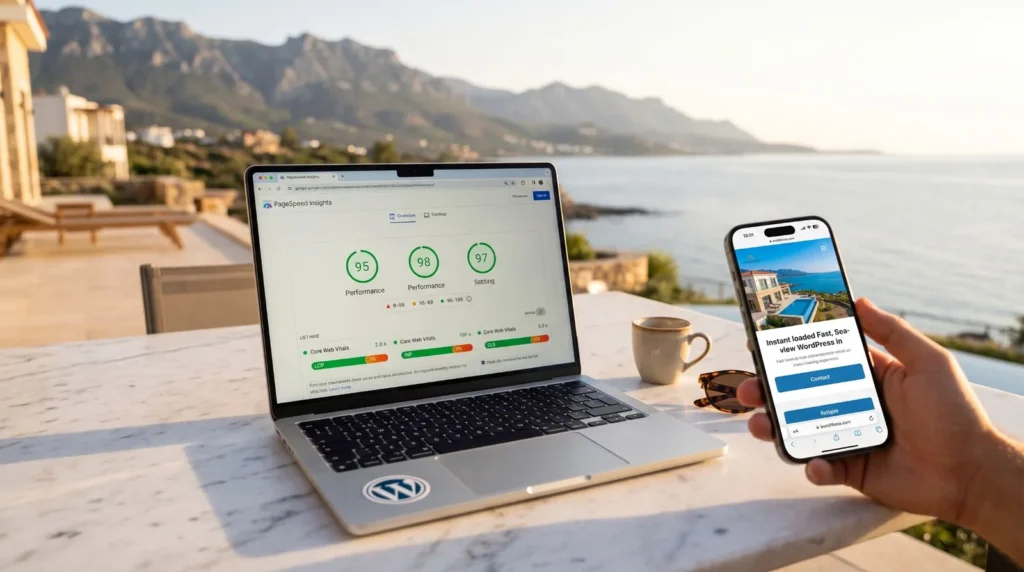
Largest Contentful Paint (LCP) measures how long it takes for the biggest visible element, usually the hero image or main heading, to appear. Google considers 2.5 seconds or less to be good.
Interaction to Next Paint (INP) measures how quickly the page responds when someone taps a button, opens a menu or types in a form. A good score is 200 milliseconds or less, which feels instant.
Cumulative Layout Shift (CLS) measures how much the layout moves while the page loads. You know the feeling: you go to tap a link and an image pushes it down at the last moment. A good score is 0.1 or less.
How to check your website in five minutes
- Open Google PageSpeed Insights and enter your homepage address.
- Look at the mobile tab first, because most of your visitors arrive on a phone.
- Check the top section, which shows real-visitor data when your site has enough traffic, and the lab score below it.
- Run the test a few times. Scores vary from run to run, so the typical result matters more than a single number.
- Repeat for one service page and one blog post, since different templates often behave differently.
If you use Google Search Console, the Core Web Vitals report groups your pages and shows which ones need attention, based on real visits over the last weeks.
WordPress fixes for a faster LCP
- Serve images in WebP at the size they are actually shown, not straight from the camera
- Load the hero image first and lazy-load only the images further down the page
- Use page caching and a CDN so pages are delivered from a server close to the visitor
- Host your fonts locally and load only the weights you really use
WordPress fixes for a better INP
Slow reactions usually come from too much JavaScript: sliders, chat widgets, tracking scripts and plugins that all load on every page. Remove the plugins you no longer need, load scripts only on the pages that use them, and delay third-party scripts until the visitor interacts with the page. On this website, for example, Google Analytics loads only after the first scroll or tap, so it has no effect on the speed score at all.
WordPress fixes for a stable layout (CLS)
- Give every image and video a width and height so the browser reserves the space
- Reserve room for banners, cookie notices and embedded maps before they load
- Load web fonts in a way that does not reflow the text when they arrive
Speed without losing a beautiful design
A fast website does not have to look plain. The goal is to keep the visual experience your brand deserves, including large photos, video and smooth animations, while removing everything that slows the page down behind the scenes. That is exactly what I did for a multilingual real estate website, which reached 90+ on desktop with its luxury design intact. Read the full story in How I Took a Multilingual WordPress Site to 90+ on Google PageSpeed.
If your website feels slow and the design is also showing its age, a refresh may be the better route. See Website Redesign: 7 Signs It Is Time for a Refresh.
When a mobile app is the next step
A fast website wins new visitors from Google. For customers who come back often to book, order or check updates, a mobile app goes one step further: it opens instantly from the home screen and can remind them with notifications. With Flutter, I build one app for both Android and iPhone that reads the same content from your WordPress website through the REST API, so you keep managing everything in one place. Read Flutter App Development: From Idea to Launch, Step by Step to see how it works.
Frequently asked questions
Do Core Web Vitals affect my Google ranking?
Yes, they are part of how Google evaluates page experience. Relevant, helpful content still matters most, but between similar pages a faster, more stable one has an advantage, and visitors are more likely to stay.
Why is my mobile score lower than my desktop score?
PageSpeed Insights tests mobile with a slower simulated phone and network, so mobile scores are almost always lower. Focus on improving the mobile result, because that is how most people visit.
Can a caching plugin alone fix Core Web Vitals?
Caching helps a lot, but it cannot fix oversized images, heavy plugins or layout shifts. The best results come from combining caching with lean pages and well-prepared images.
Can you speed up my existing website without redesigning it?
Often, yes. Many sites improve noticeably with image optimization, caching and plugin cleanup while the design stays exactly as it is.
Would you like to know how your website scores, or are you planning a fast new website and an app to go with it? Get in touch and send me your address. I will happily take a look and suggest the clearest improvements. You can also see my web design and app development services in North Cyprus.