
Multilingual WordPress Website: A Practical Guide with WPML
A multilingual WordPress website lets one business speak to many different customers in their own language. In a place like North Cyprus, where enquiries can arrive in English, Turkish, German, Russian, Persian and Arabic on the same day, that is not a luxury. It is often the difference between a visitor who leaves after five seconds and one who picks up the phone.
I build and maintain a four-language real estate website in English, German, Turkish and Persian, including a full right-to-left Persian version. This guide shares what I have learned about planning, building and caring for a multilingual WordPress site that works for visitors and for Google.
1. Choose your languages by your customers, not by habit
Start with the people who already contact you. Which languages do their emails and WhatsApp messages use? Which countries appear in your visitor statistics? Begin with the two or three languages that matter most and add more later. A smaller set of carefully translated languages serves your business far better than many half-finished ones.
2. Use a proper multilingual plugin such as WPML
WPML is the tool I use for multilingual WordPress websites. It connects each page with its translations, translates menus, forms and theme texts, and works well with Elementor and SEO plugins such as Rank Math. Most importantly, it keeps every language organized, so updating a page in English clearly shows which translations need attention.
3. Give every language its own address
Each language should live at its own URL, for example /de/ for German or /fa/ for Persian. This lets Google index every version separately and show the right one to the right person. WPML adds the hreflang tags that tell search engines which pages belong together, so a German visitor lands on the German page instead of the English one.
4. Translate with care, then let a person check it
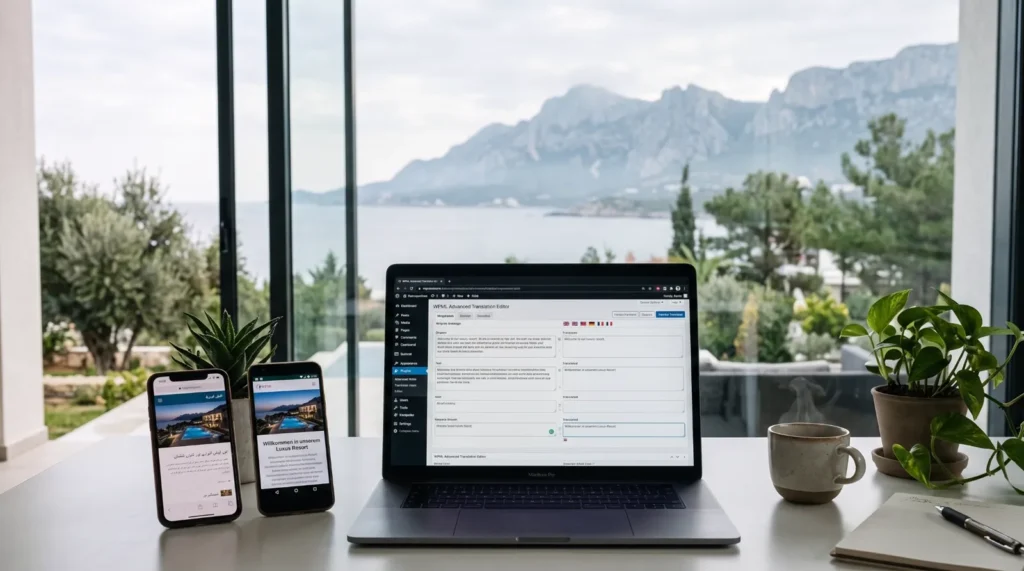
Machine translation is a useful first draft, and WPML’s translation editor makes it quick to start. But every language should be reviewed by someone who knows it well, especially headings, buttons and legal texts. A natural, friendly translation builds trust; a clumsy one quietly sends visitors away.
5. Build a real right-to-left layout for Persian and Arabic
Right-to-left languages need more than translated words. The whole layout flips: menus, icons, arrows, sliders and text alignment. Fonts matter too, because a Latin font rarely looks good with Persian or Arabic letters. Mixed sentences, where an English brand name sits inside Persian text, need extra attention so the words stay in the right order. Done well, a right-to-left version feels as if the site was designed in that language from the start.
6. Keep every language fast
Each language is a full set of pages, so speed work has to cover all of them: caching for every version, a CDN, optimized images and fonts loaded only where they are needed. I share how I approached this on a four-language site in How I Took a Multilingual WordPress Site to 90+ on Google PageSpeed.
7. Do SEO for each language, not just the first one
Page titles, meta descriptions, image alt texts and even URLs should be written for each language, using the words people really search with in that language. A German buyer and a Persian investor may look for the same property in very different ways. Add each language to Google Search Console’s sitemap and watch how every version performs on its own.
8. Plan how you will keep it up to date
A multilingual site is only as good as its least updated language. Decide early who updates which language and how new pages move from English into the others. A simple routine, such as translating every new article within the same week, keeps all versions consistent and trustworthy.
9. Take your languages into a mobile app with Flutter
Once your website speaks several languages, your regular customers will often ask for an app as well. Flutter makes this a natural next step. One Flutter codebase becomes a native app for both Android and iPhone, and Flutter’s built-in localization supports every language your website uses, including full right-to-left layouts for Persian and Arabic. The app can even read its content straight from your WordPress website through the REST API, so your listings, services or news are written once and appear on the website and in the app at the same time.
That is the combination I focus on: a fast multilingual WordPress website that brings new customers in from Google, and a Flutter app that keeps them coming back. You can read how an app is built in Flutter App Development: From Idea to Launch, Step by Step, and why Flutter is such a good fit in Why Flutter Is a Smart Choice for Your Next Mobile App.
Your multilingual website checklist
- ✔ Languages chosen by who actually contacts you
- ✔ WPML connecting pages, menus and forms
- ✔ A separate address and hreflang tags for every language
- ✔ Translations checked by a person
- ✔ A true right-to-left layout and fitting fonts for Persian and Arabic
- ✔ Fast loading in every language
- ✔ SEO titles and descriptions written for each language
- ✔ A clear routine for keeping all languages updated
- ✔ A Flutter app in the same languages when your customers are ready for it
Want to see these ideas working on a live site? Take a look at the Luxury Life Property case study, and read Website Design in North Cyprus: 8 Essentials for Businesses for the bigger picture.
Frequently asked questions
Can I add more languages to my existing WordPress website?
Yes. WPML can be added to an existing site, and each page can then be translated step by step without rebuilding the website.
Does a multilingual website help with Google rankings?
It helps you appear in searches made in other languages. Each language version can rank for the words people use in that language, which widens the audience your website can reach.
Is a right-to-left Persian or Arabic version difficult to build?
It needs experience, because the layout, fonts and mixed-language text all have to be handled carefully. With the right setup in WordPress and Elementor, the result looks natural and works smoothly.
Can my mobile app use the same languages as my website?
Yes. A Flutter app supports multiple languages and right-to-left layouts, and it can load its content from your WordPress website, so both stay in sync in every language.
Can I edit the translations myself?
Yes. WPML’s translation editor shows the original text next to the translation, so you or your team can update any language from the dashboard.
Planning a website, or a website and a Flutter app, that speaks your customers’ languages? Get in touch and tell me which languages you need. I would be glad to help. You can also see my web design and app development services in North Cyprus.